New in Teams Telephony: near real-time call metrology with Microsoft Teams Observability by Phenisys
Microsoft Teams has become the backbone of enterprise communication – for meetings, collaboration, and now full-fledged corporate telephony. But when it comes to call quality, performance metrics, and troubleshooting, most organizations still face the same problem: no clear visibility. That’s exactly what Phenisys is solving with the latest update to Microsoft Teams Observability – introducing […]

Microsoft Teams has become the backbone of enterprise communication– for meetings, collaboration, and now full-fledgedcorporate telephony. But when it comes tocall quality, performance metrics, and troubleshooting, most organizations still face the same problem:no clear visibility.
That’s exactly whatPhenisysis solving with the latest update toMicrosoft Teams Observability– introducing a brand-newTelephony Metrology experience, designed for nearreal-time visibilityandend-to-end troubleshootingof Teams calls.
Why Teams Telephony Metrology Matters More Than Ever
With thousands of enterprises moving their telephony to Microsoft 365 – viaDirect RoutingorCalling Plans– monitoring Teams Telephony performance has become a strategic IT challenge.
Without proper metrology, IT teams struggle to:
Identify the root cause of degraded calls,
Correlate network and user performance,
Track adoption and license usage,
Understand whether an issue comes from Microsoft, the network, or the endpoint.
Native tools likeCall Quality Dashboardor theTeams Admin Centeroften fall short. They’re slow, admin-only, and lack the ability to correlate multiple data sources.
That’s where Phenisys comes in.
Beyond Native Monitoring: Introducing True Observability for Teams Telephony
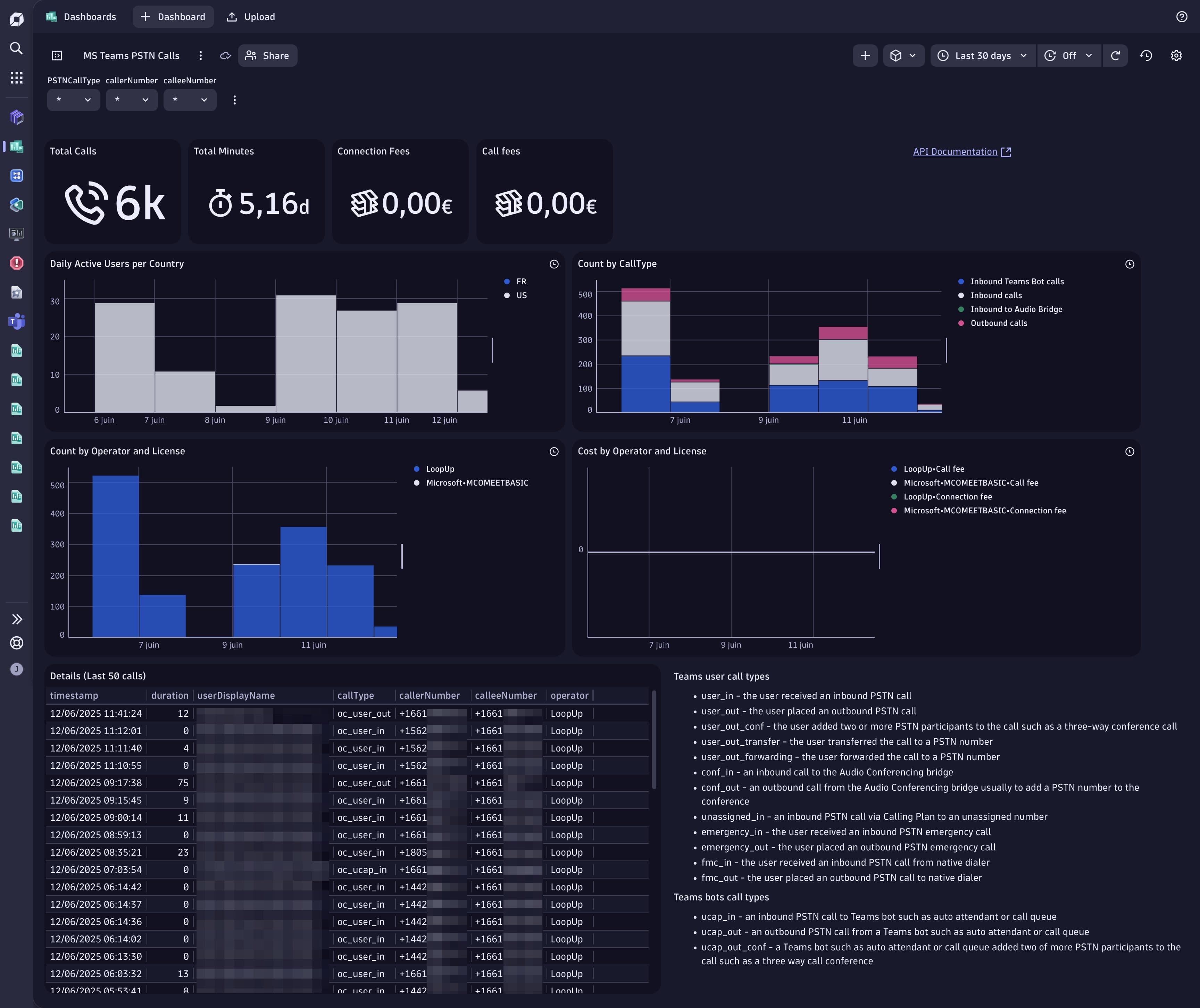
Phenisys’Microsoft Teams Observabilityapp brings a completely new experience to telephony troubleshooting natively integrated with your observability stack (Dynatrace, Splunk, and more).
The solution leverages Microsoft APIs and Phenisys’ observability expertise to deliverlive, actionable insightsinto Teams usage and performance.
With the newUsers page, Phenisys introduces a faster, sharper way to explore telephony data.
The New “Users” Page: Faster Inventory, Sharper Filtering, Seamless Investigation
Live inventory of Teams call participants
At a glance, access alive inventoryof every user who placed a call during your selected timeframe. No complex queries, no delays : just real data, updated in near real-time.
Fast and precise filtering
Use thefilter barto narrow down results instantly. Filter by user, site, subnet, network, or quality metrics and zero in on the issue in seconds.
Expand for context and correlation
Need to dig deeper? Expand any participant to seedetailed call records, performance metrics (latency, jitter, MOS), devices, andcorrelated Microsoft data sources,including PSTN Logs and Direct Routing traces.
Follow the trail end-to-end
Ready to investigate further? Jump directly to theCallspage with that participant already applied maintaining full context and saving precious time during triage.
In short: the new Users page deliversfaster inventory, sharper filtering, and seamless investigation, engineered for enterprise-grade troubleshooting.
Smart Telephony Insights: Designed for IT, Ops, and Helpdesk
Every persona in your IT organization benefits from this new metrology layer:
Helpdesk / Level 1 support– Quickly determine if an incident originates from the user’s device, network, or Microsoft service.
Operations & Network teams– Identify problem sites usinggeo-mapped analyticsand subnet-level KPIs.
Management– Track adoption, monitor SLA trends, and drive continuous improvement.
AI-ready analysis– The app is built for next-generation capabilities with Copilot integration, enabling “1-click to Root Cause” analysis.
Monitoring Call Queues and Auto Attendants
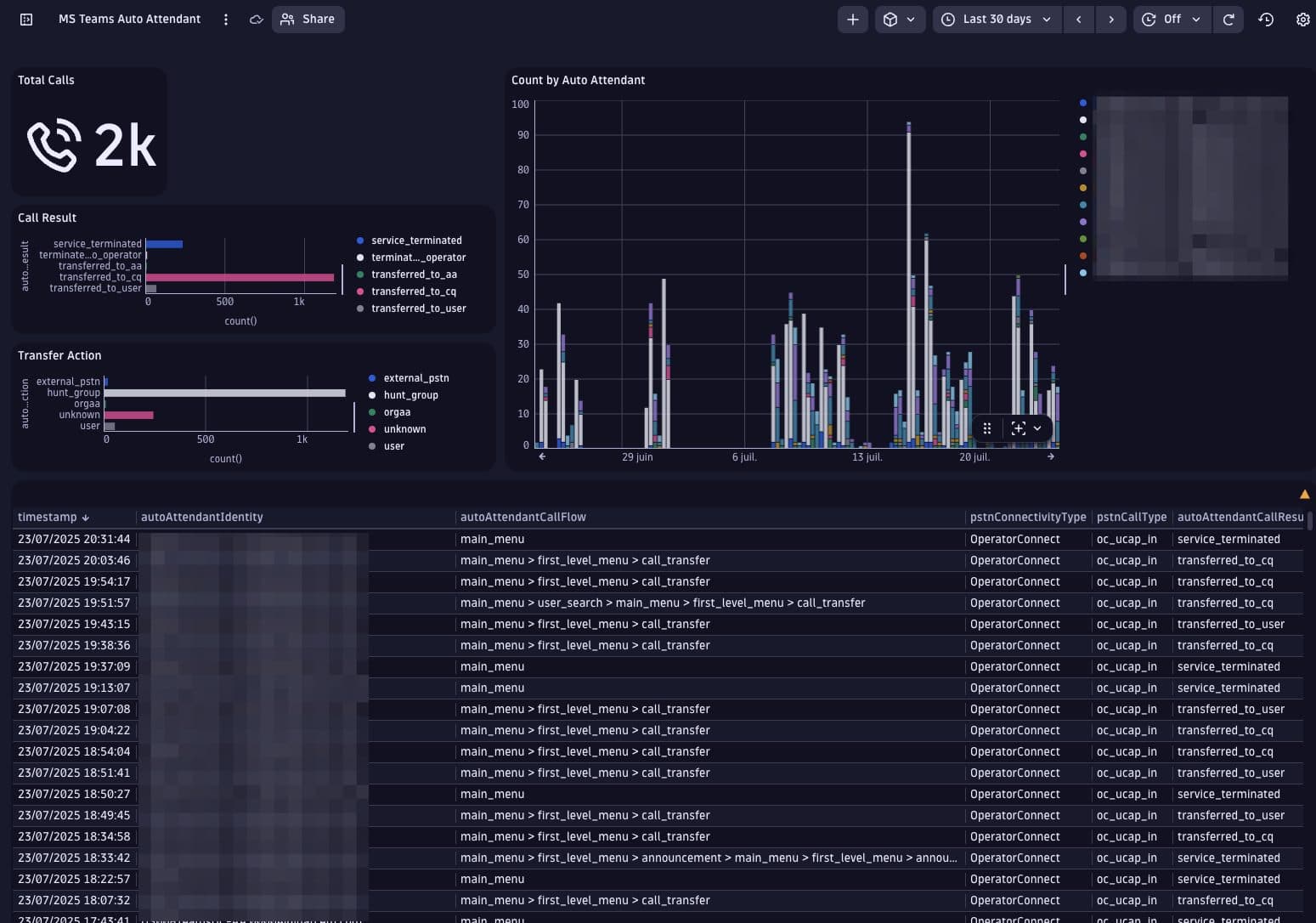
Beyond individual user calls, Microsoft Teams Observability by Phenisys also providesdeep visibility into Call Queues and Auto Attendant flows.
By leveraging Microsoft’sCall Routing Flow API, the solution maps how inbound calls are distributed, answered, or transferred within Teams, from customer-facing lines to internal routing.
This allows IT and operations teams toanalyze queue performance, detect misconfigurations, andoptimize call handling across departments or regions.
End-to-End Visibility Through Correlated Microsoft Data
Thanks to its ability tocorrelate multiple Microsoft data sourcesusing a unique Correlation ID, Phenisys delivers true end-to-end visibility.
FromDirect RoutingandPSTN LogstoCall Records, every data point is stitched together to form a complete picture of the call journey – across users, devices, sites, and Microsoft infrastructure.
This correlation eliminates blind spots and provides IT teams witha single source of truthfor Teams Telephony performance.
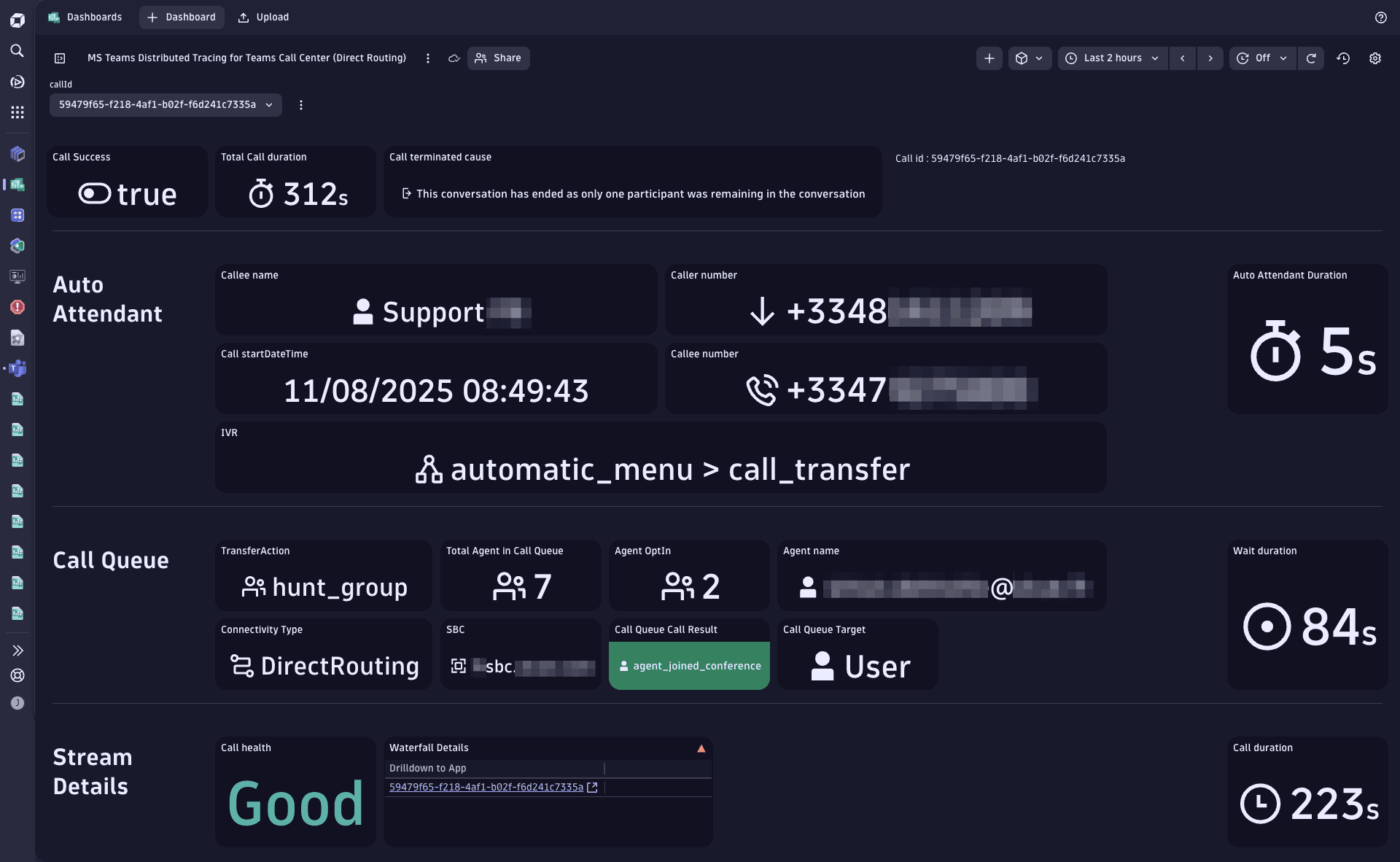
Phenisys’ app correlates all data streams using Microsoft’sCorrelation ID, providing a unified and traceable view of each call, from endpoint to cloud.
Tech Focus: The Power of Correlation ID
Each Teams call generates a unique Correlation ID.
Phenisys leverages this identifier to automatically link telemetry from multiple Microsoft data sources, including PSTN Logs, Direct Routing, and Call Records.
This enablestrue end-to-end observability, empowering IT teams to diagnose issues with full context and confidence.
From Metrics to Metrology : Phenisys’ Observability Advantage
Unlike traditional DEX tools (Aternity, Nexthink…) or Microsoft’s own dashboards, Phenisys goes beyond metrics collection.
It transforms Teams Telephony data intocontextual observability, allowing teams to:
Measurecall performance in near real time,
Visualize quality metrics onmaps and waterfall timelines,
Detect Microsoft service degradations impacting your tenant,
Drill down intonetwork KPIs per site,
and identifyroot causes automaticallywith AI-ready workflows.
All within your existingDynatrace or Splunk environmentno third-party agent, no data silos, full security.
Built for Enterprises, Engineered by Experts
Phenisys is not just another monitoring vendor, it’s apure observability player, certified partner andDynatrace App Competition 2024 Winner.
With proven expertise across complex environments, Phenisys ensures thatTeams Telephony performance becomes transparent, measurable, and manageablefrom the first hop to the last.
Itsscalable licensing modeladapts to any organization size, from fast-growing startups to global enterprises, based onactive Teams users over the last 30 days.
The Future of Teams Telephony Troubleshooting
With this new Telephony Metrology experience, Phenisys redefines how enterprises monitor and manage their Teams voice infrastructure.
By combiningAPI-based data collection,cross-source correlation, andintuitive dashboards, it turns every Teams call into an opportunity to learn, improve, and optimize.
No more guesswork. No more blind spots.
Justclear, actionable visibility, exactly when and where IT teams need it.
Other articles
All resources
Observability at scale: from scoping to team self-sufficiency
From scoping to continuous improvement in operations, field experience on deploying observability and helping teams become self-sufficient.
ReadDiagnose Microsoft Teams incidents in minutes: try MS Teams Observability in Dynatrace (Demo mode)
Microsoft Teams has become a mission-critical tool for enterprises. Strategic meetings, day-to-day collaboration, telephony, contact centers, when Teams performance degrades, the impact is immediate for end users and for IT teams. The issue is not a lack of data.
Read
Call Center Monitoring for Microsoft Teams: essential use cases to understand and improve your calls
A practical guide to clarify usage, balance call flows, and diagnose Teams calls.
Read